Managing Devices
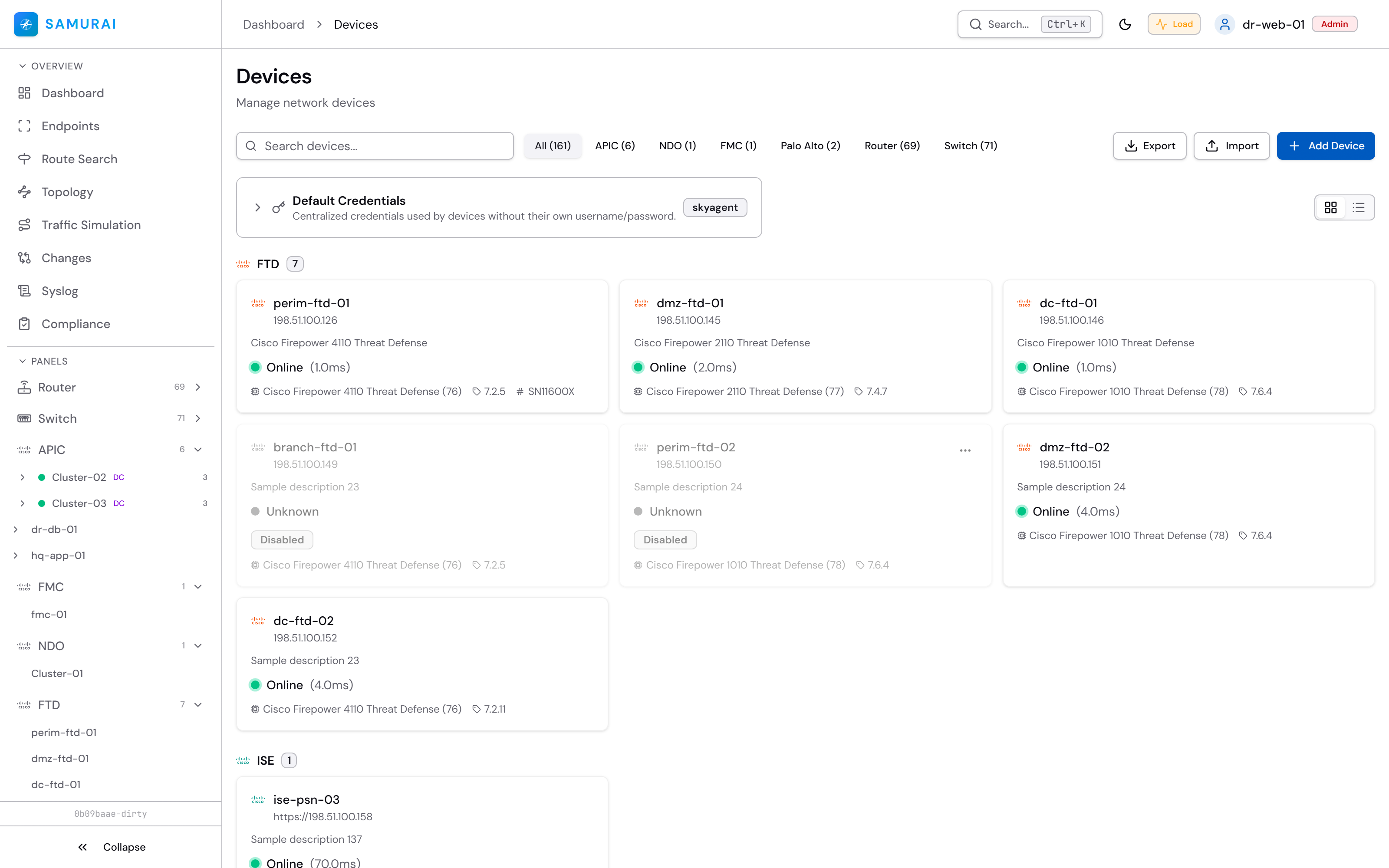
The Devices page is the inventory and the entry point to every device panel. From here you add, edit, export and back up devices.
Adding a device
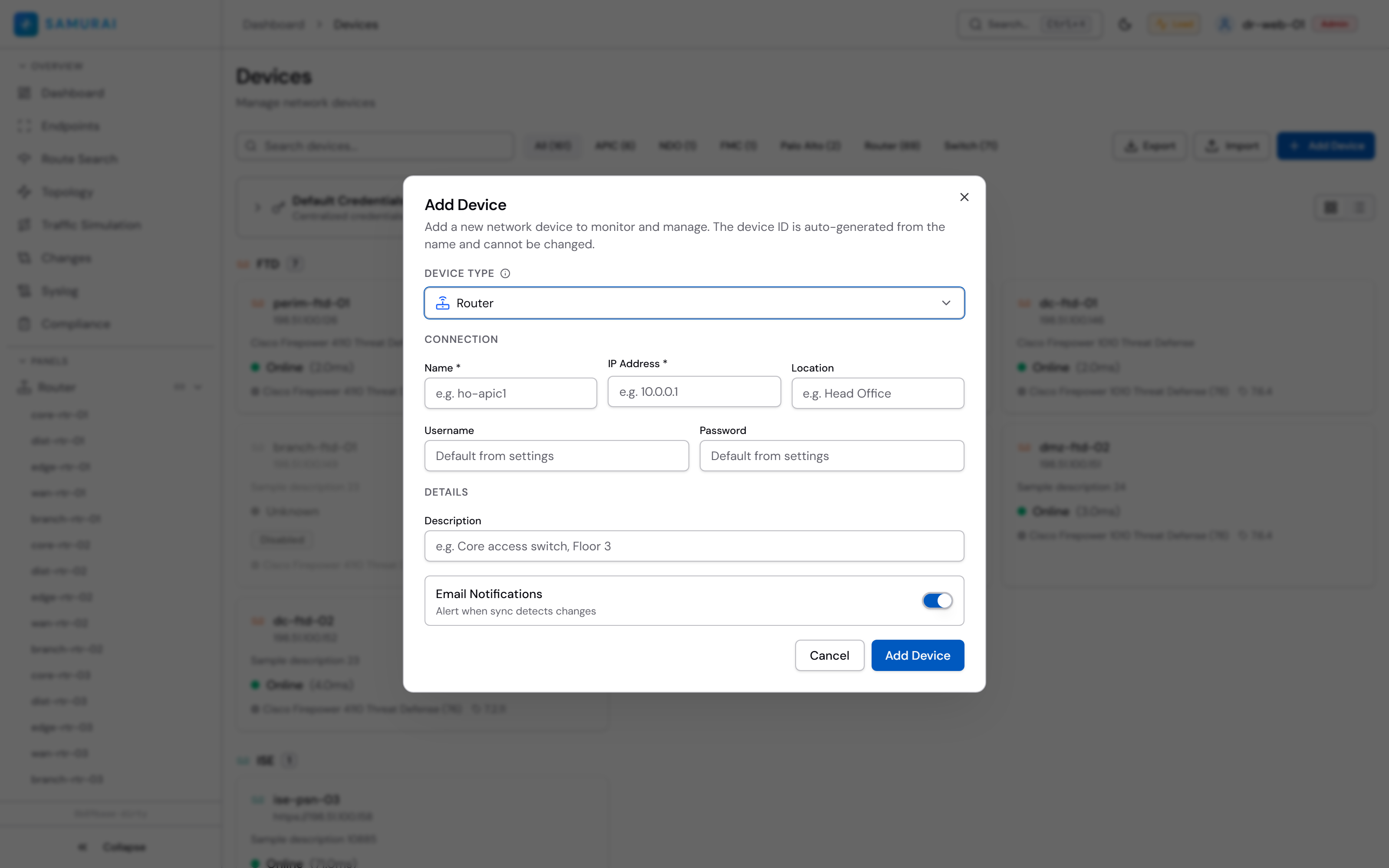
Click Add Device, pick the vendor / type and enter the management address and credentials. Credentials are encrypted at rest (AES-256-GCM).
Device actions
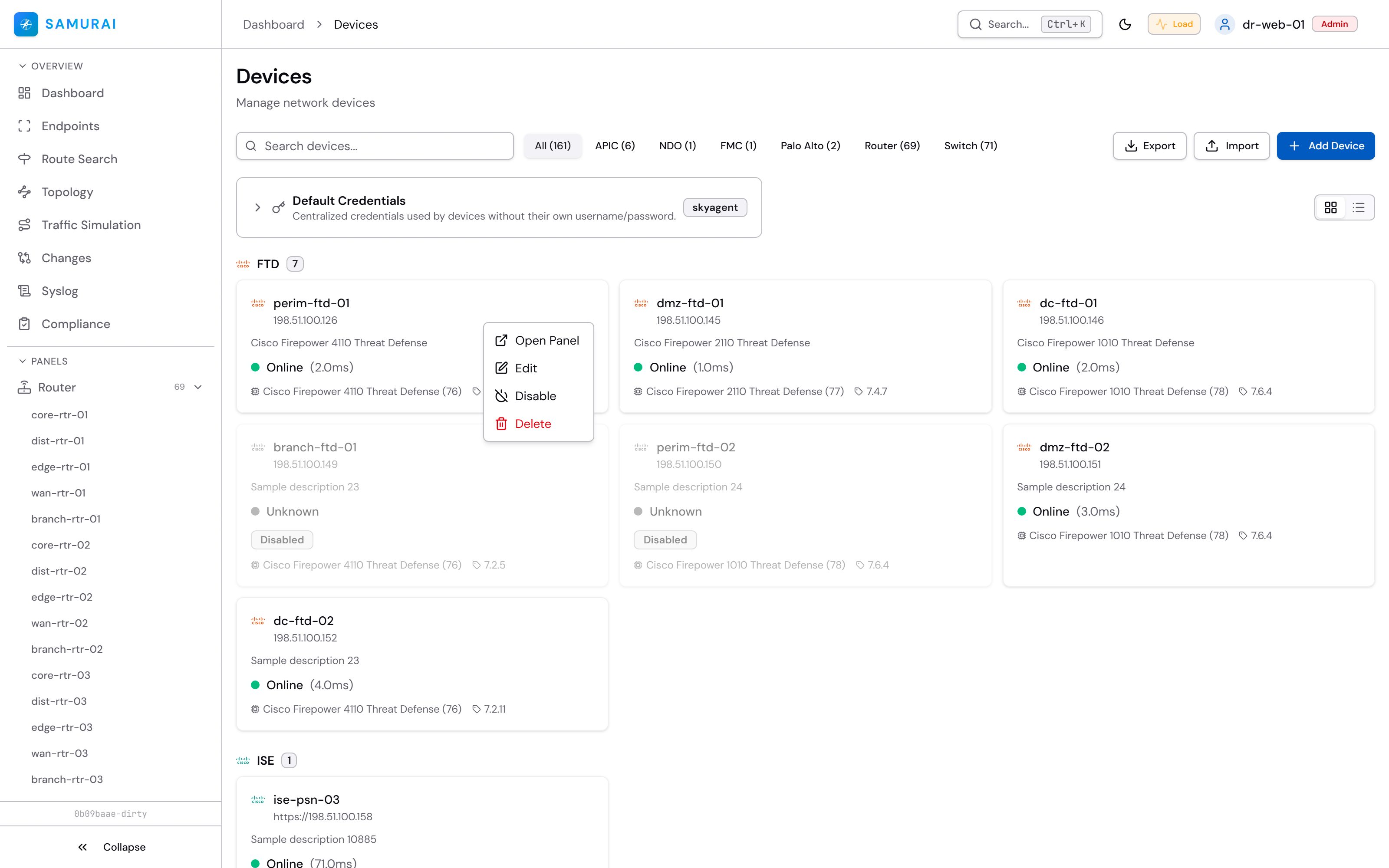
Each device card has a menu — edit, export, backup / restore and delete.
Export
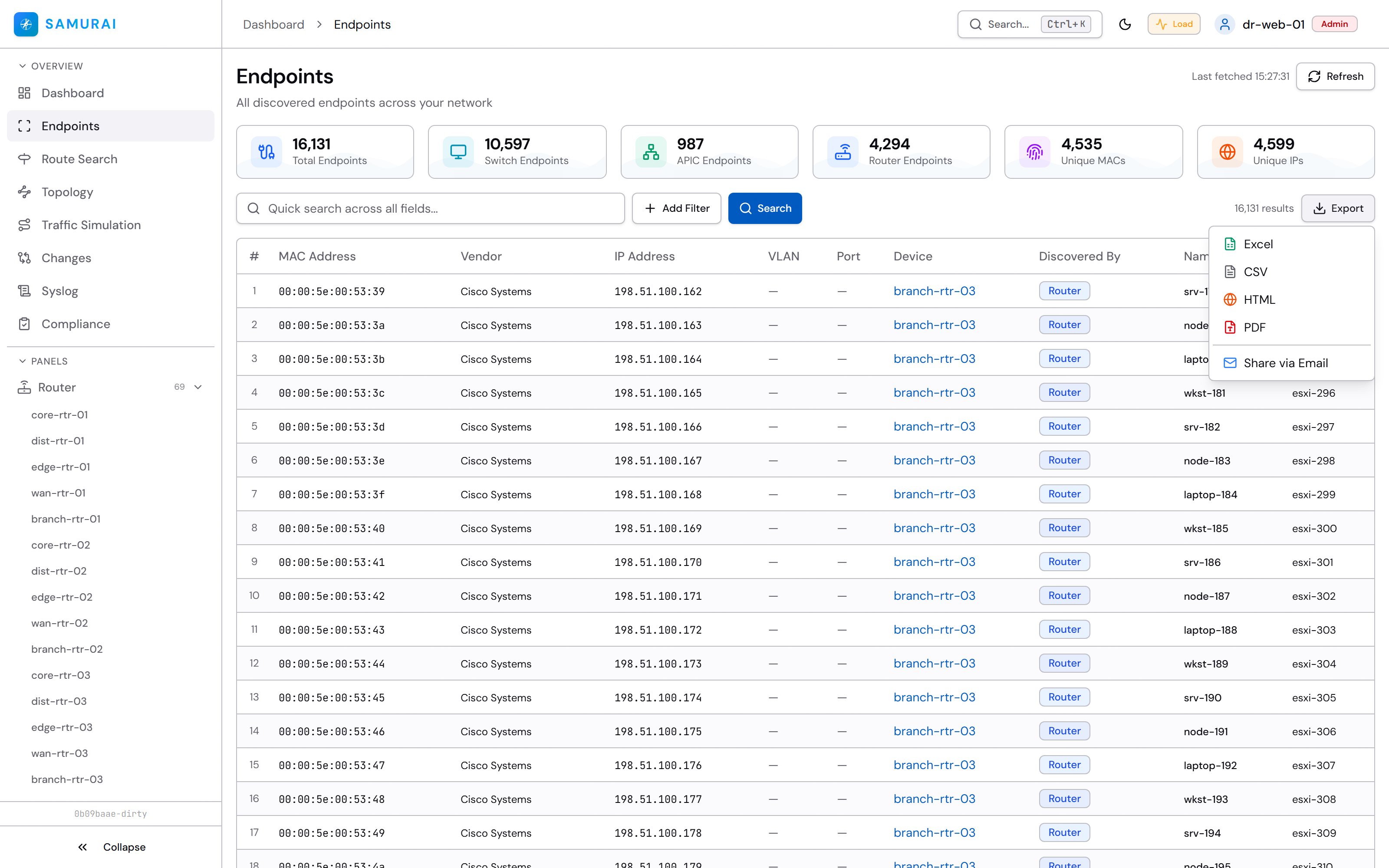
Every list view exports to CSV, XLSX, HTML or PDF.
Last updated on